
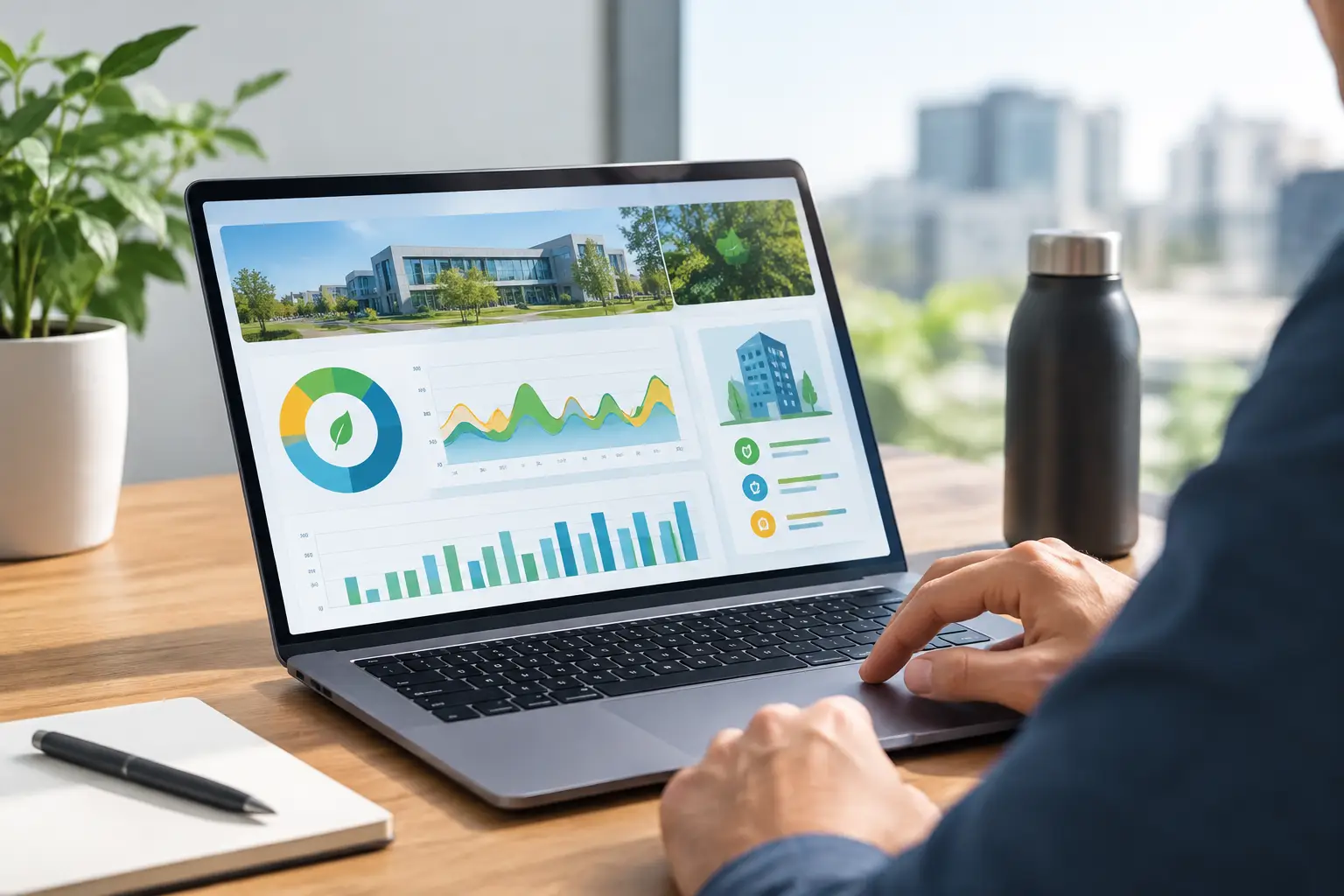
A luxury villa can look perfectly calm while wasting significant energy behind the scenes. Air conditioning may be cooling empty rooms, lights may remain on after staff leave, and equipment may run outside its intended schedule. Energy dashboards bring these patterns into view, giving homeowners, facility teams, and hospitality operators a clear picture of how a property is performing.
The purpose is not to turn daily life into a spreadsheet. A well-designed dashboard turns complex consumption data into practical actions: adjust a schedule, investigate an unusual load, refine a temperature setting, or automate a recurring response. For high-value homes and commercial spaces, that visibility supports comfort, operating control, and more informed property management.
What Energy Dashboards Actually Do
An energy dashboard collects data from meters, smart electrical panels, HVAC controls, lighting systems, sensors, and selected connected equipment. It presents that information in one interface, often available on a wall-mounted touch panel, central control screen, or mobile app.
At its most useful, the dashboard answers simple but valuable questions. How much electricity is the property using now? Which zones are consuming the most? Is consumption higher than usual for the time of day? Did a change to the AC schedule reduce overnight demand? Instead of relying on a monthly utility bill to reveal a problem after the fact, the owner or manager can identify trends while there is still time to respond.
For a villa, the focus may be on cooling, pool equipment, outdoor lighting, and guest-room usage. For an office, it may be after-hours consumption, meeting-room occupancy, and HVAC operation by floor. In a hotel or restaurant, the picture is broader: guest comfort, back-of-house equipment, public-area lighting, and operational schedules all matter. The dashboard should reflect how the property actually operates, not force every building into the same template.
The Difference Between Monitoring and Managing
Seeing energy data is valuable, but data alone does not reduce consumption. The stronger approach connects the dashboard to one intelligent system that can act on defined rules.
For example, occupancy sensors can tell the system when a room is vacant. Rather than simply displaying that information, the system can set lighting to off, raise the cooling setpoint gradually, and close motorized curtains during the hottest part of the day. When occupancy returns, the room can return to a comfortable preset without the resident needing to manage multiple controls.
This is where careful design matters. An aggressive automation rule can save energy but make a space feel inconvenient. If an office meeting room turns off too quickly during a presentation, or a villa’s AC relaxes before guests have truly left the room, users will override the system. The goal is measured control: settings that respect occupancy patterns, the UAE climate, the purpose of each room, and the expectations of the people using it.
Real-Time Data Helps Identify the Unusual
Real-time views are particularly helpful when a property’s energy use changes unexpectedly. A sudden increase may point to an AC unit operating longer than planned, a pool pump schedule that needs attention, or equipment left active after closing. The dashboard does not replace a qualified technician, but it provides an early signal that something deserves investigation.
Historical views add another layer of value. Comparing daily, weekly, or seasonal consumption helps owners see whether improvements are producing results. It also avoids misleading decisions based on one unusually hot day, a fully booked hotel period, or an event that temporarily changes demand.
Alerts Should Be Useful, Not Constant
A dashboard can send alerts for unusual consumption, equipment operation outside approved hours, or an energy threshold that has been exceeded. However, too many alerts create noise. Property managers quickly stop paying attention when every small variation generates a notification.
Set alerts around events that require a decision. Examples include cooling that runs well beyond occupancy hours, a critical load that behaves outside its normal range, or total consumption that exceeds an agreed operating target. For a second home or investment property, remote alerts can offer added peace of mind when the owner is away.
What to Track First
The right starting point depends on the property, but most projects benefit from beginning with the major loads rather than trying to measure every socket on day one. In Dubai and across the UAE, HVAC is often the first priority because climate control has a direct effect on both comfort and electricity use.
Lighting is another practical category, especially in large villas, hospitality spaces, retail environments, and offices with long operating hours. Automated scenes, daylight response, occupancy control, and scheduled exterior lighting can reduce unnecessary use while preserving the atmosphere that the space was designed to create.
Other categories may include water heating, pool and irrigation equipment, kitchen equipment, EV charging, lifts, AV systems, or server rooms. A restaurant may need detailed visibility into kitchen and refrigeration loads, while a penthouse owner may care more about AC zones, lighting, and the performance of a home cinema or outdoor terrace. The dashboard earns its place when it prioritizes decisions that matter to that property.
Designing a Dashboard for the People Who Will Use It
A dashboard can be technically sophisticated and still fail if it is difficult to understand. Owners need a fast view of whether the home is operating normally. A facility manager may need trends, alerts, and zone-level detail. Hotel operations teams may need to compare common areas, guest floors, and back-of-house consumption without being overwhelmed by raw numbers.
That is why interface design should be discussed during system planning. The first screen should highlight the information that supports routine decisions, such as current property consumption, major zones, active modes, and any issue requiring attention. More detailed charts can sit behind that overview for users who need them.
Clear labels matter as well. “Guest Suite AC,” “Pool Pump,” and “Lobby Lighting” are more useful than generic circuit names. A professional integration team can map electrical and automation data to the real rooms and functions of the property, making the system intuitive at handover.
Wired, Wireless, and Retrofit Considerations
New construction and major renovations offer the greatest opportunity for detailed metering and wired control infrastructure. Wiring can be planned alongside electrical, lighting, and HVAC works, creating a dependable foundation for future expansion.
Existing properties can still benefit from energy visibility. Wireless devices, smart relays, connected thermostats, and targeted metering can provide meaningful control with less disruption. The trade-off is that retrofits may offer less granular data in certain areas, and the design must account for device placement, communication reliability, and access to electrical panels.
There is no single correct architecture. A large villa may use wired control for core systems and wireless devices for selected additions. A commercial retrofit may begin with common areas and major HVAC loads, then expand as operating data identifies the next best opportunity. Scalable design is often more valuable than attempting to install every feature at once.
A Practical Implementation Process
A successful project begins with a site consultation. The integrator should review the property layout, electrical infrastructure, existing control systems, operating schedules, and the outcomes the owner or management team wants to achieve. It is also the time to identify constraints, whether that means a completed interior, an occupied hotel, or a fixed renovation schedule.
The next stage is a clear quotation and system design. This should define what will be measured, what will be controlled, which alerts and reports are required, and how the dashboard will be accessed. It should also make clear what sits within the automation scope and what may require coordination with HVAC, electrical, or building-management specialists.
Installation is only part of the work. Each meter, sensor, control point, and scene must be tested so that the dashboard reflects accurate information and automation rules behave as intended. At handover, users should be shown how to interpret key screens, respond to alerts, and adjust permitted settings without disrupting the system logic.
Esmartech approaches this as a tailored automation project, combining consultation, system design, installation, testing, and user guidance so the final experience feels controlled rather than complicated.
Energy Insight Is Also a Comfort Strategy
The most effective energy plan does not ask occupants to sacrifice the quality of their space. It makes the property responsive: cooler when people arrive, calmer when rooms are unused, properly lit when needed, and visible from one central point.
Start with the areas where energy, comfort, and operating habits intersect most clearly. When the dashboard is designed around real behavior and supported by reliable automation, it becomes less about watching numbers and more about keeping a valuable property performing exactly as it should.

Leave a comment