
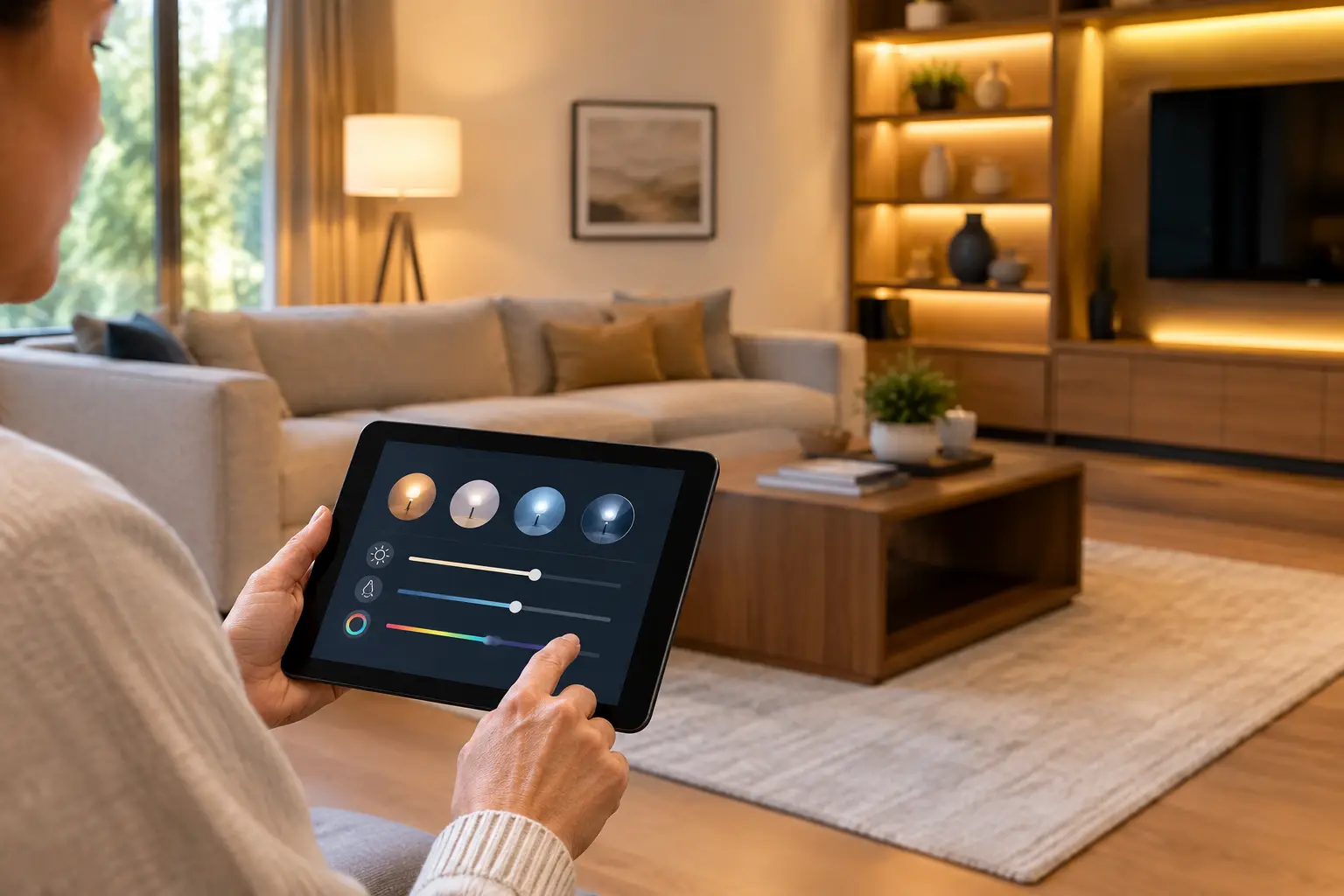
A lighting scene should do more than make a room brighter or dimmer. When you know how to program lighting scenes properly, one touch can set the right mood for dinner, make a villa safer at night, prepare a meeting room for a presentation, or reduce wasted energy across an entire property. The difference is not the app or wall keypad alone. It is the planning behind what each space needs at different times of day.
For premium homes, hotels, restaurants, and workplaces, lighting scenes turn individual fixtures into one intelligent system. Instead of adjusting downlights, pendants, curtains, and accent lighting one by one, the property responds in a deliberate and comfortable way.
What a Lighting Scene Actually Controls
A lighting scene is a saved combination of settings assigned to a button, touchscreen, app command, voice command, schedule, or sensor. It can control brightness, color temperature, color where appropriate, and which fixtures turn on or off. In a well-designed automation system, it can also coordinate motorized curtains, climate settings, audio, and security behavior.
Consider an evening scene in a living room. Ceiling downlights may reduce to 35 percent, wall-wash lighting may rise to 60 percent to highlight artwork, and curtains may close. A late-night pathway scene might switch off decorative lighting while keeping selected hallway and stair lights at a low, warm level. The goal is not to use every light fitting. The goal is to create the right visual hierarchy for the activity.
The best scenes feel natural because they support the way people use a space. They should never require guests, family members, or staff to think through a complicated control sequence.
How to Program Lighting Scenes With a Clear Plan
Programming begins before anyone opens an app. First, divide the property into meaningful zones. A large open-plan villa may have separate zones for the kitchen task area, dining table, lounge, artwork, perimeter lighting, and terrace. Treating the whole floor as one zone limits flexibility and often creates overly bright, flat lighting.
Next, identify the moments that happen repeatedly. In a residence, these may include arrival, morning, cooking, dining, entertaining, movie time, bedtime, and away mode. A restaurant may need opening, lunch service, sunset, dinner service, cleaning, and closing scenes. An office may require reception, working hours, presentation, after-hours, and security scenes.
Avoid creating a scene for every possible situation. Too many choices make a control system feel difficult to use. For most rooms, three to five well-defined scenes are more valuable than a screen full of nearly identical presets.
Start with the natural light
Daylight should influence every scene design. A bright Dubai afternoon calls for a different response than an evening setting. In rooms with large glazing, combine lighting scenes with curtain or blind control so the property can manage glare, privacy, and heat gain intelligently.
For example, a daytime living scene may keep decorative lights off while opening sheer curtains and using only low-level supplemental light. As daylight fades, the system can gradually introduce warm accent lighting rather than switching all fixtures on at full brightness. This approach looks more considered and can reduce unnecessary energy use.
Set levels by purpose, not by habit
A common mistake is setting every dimmable fixture to 100 percent. Full output is useful for cleaning, detailed tasks, or maintenance, but it rarely creates a comfortable atmosphere. General living areas often feel better with layered lighting at moderate levels, while task lighting remains stronger where needed.
Use functional scenes as a starting point. Kitchen preparation lighting should clearly illuminate countertops and cooking zones. Dining lighting should focus attention on the table without producing glare. A media room needs low light that protects screen contrast, while stairs and corridors need enough illumination for safe movement without disturbing sleep.
Color temperature matters too. Cooler white light can suit focused work areas, while warmer settings are generally more comfortable for relaxation and evening hospitality. The correct setting depends on the fixtures, finishes, daylight exposure, and the owner’s preference. It should be tested in the actual space, not chosen from a specification sheet alone.
Name controls so everyone can use them
Scene names should be immediate and practical. “Welcome,” “Dining,” “Movie,” “Good Night,” and “All Off” are clearer than technical labels such as “Zone 4 Preset B.” In commercial spaces, labels such as “Service,” “Presentation,” “Cleaning,” and “Close” help staff operate the system consistently.
Keep the most-used scenes available on a physical keypad as well as in the app. Phones are useful for remote control and fine adjustments, but a wall keypad near the entrance, bedside, or dining area is faster for everyday use. Voice control can be helpful, particularly for hands-free moments, but it should complement dependable physical controls rather than replace them.
Add timing, sensors, and security carefully
Schedules make scenes more useful when they follow a reliable routine. Exterior lighting can activate around sunset, facade lighting can turn off at a defined hour, and common-area lights can follow operating hours. Occupancy sensors work well in bathrooms, dressing rooms, storage areas, corridors, and back-of-house spaces.
Sensor behavior needs thoughtful programming. If a corridor light turns off too quickly, it becomes frustrating. If it remains on too long, energy savings disappear. A good configuration uses suitable time delays, low-level nighttime settings, and manual override options where appropriate.
Security scenes deserve separate attention. An “Away” command might switch off interior lighting, close curtains, arm selected systems, and retain occasional lighting behavior for an occupied appearance. This should be designed around the property’s security strategy, especially where CCTV, access control, gates, and smart locks are integrated.
Scenes That Work in Real Properties
In a luxury villa, arrival is often the scene that sets the first impression. It may activate driveway and entrance lighting, illuminate the foyer, open selected curtains during the day, and set the main living area to a welcoming level. At bedtime, one command can turn off nonessential zones, lower exterior lighting to a security setting, and leave safe circulation lighting active.
In an apartment or penthouse, scenes can make a compact space feel more adaptable. A single open-plan room can shift from a bright work setting to a relaxed evening setting without changing the furniture or creating visual clutter. Careful scene design is especially valuable where one room performs several roles.
For hospitality and commercial properties, consistency matters as much as atmosphere. Restaurant staff should be able to move from lunch service to evening service without manually adjusting dozens of fixtures. In meeting rooms, a presentation scene should lower lights near a display while preserving enough light for note-taking. These decisions improve the guest or employee experience while simplifying daily operations.
Common Programming Mistakes to Avoid
The first mistake is programming scenes without testing them at the times they will actually be used. A scene that looks excellent in daylight can feel too dark at night. Test every key setting in the real environment, including with curtains closed, televisions on, or guests seated at the dining table.
The second is ignoring dimming compatibility. Not every LED fixture, driver, dimmer, and control protocol behaves the same way. Poor compatibility can cause flicker, limited dimming range, uneven brightness, or lights that do not turn fully off. Professional specification and commissioning prevent many of these issues before handover.
The third is making the system difficult to change. A family’s routine changes, a restaurant may update its service concept, and an office may reconfigure rooms. Choose a system that can be adjusted and expanded without rebuilding the entire installation. Wired systems can offer exceptional reliability for major projects, while wireless solutions may be practical for upgrades or completed properties. The right architecture depends on the building, budget, and long-term plans.
Why Professional Commissioning Makes the Difference
Lighting scene programming is where design intent becomes daily experience. It requires more than connecting devices to an app. A professional integrator reviews fixture types, dimming methods, control locations, daylight conditions, user habits, and future expansion before finalizing settings.
At Esmartech, this process is managed from site consultation and system design through installation, testing, and user handover. Each scene is tailored to the space and needs of the people who will use it, whether that means a calm family evening, efficient hotel operations, or secure after-hours control for a commercial property.
The most effective lighting scenes are rarely the most complicated. They are the ones people use without hesitation: the right light, in the right place, exactly when it is needed.




Leave a comment