
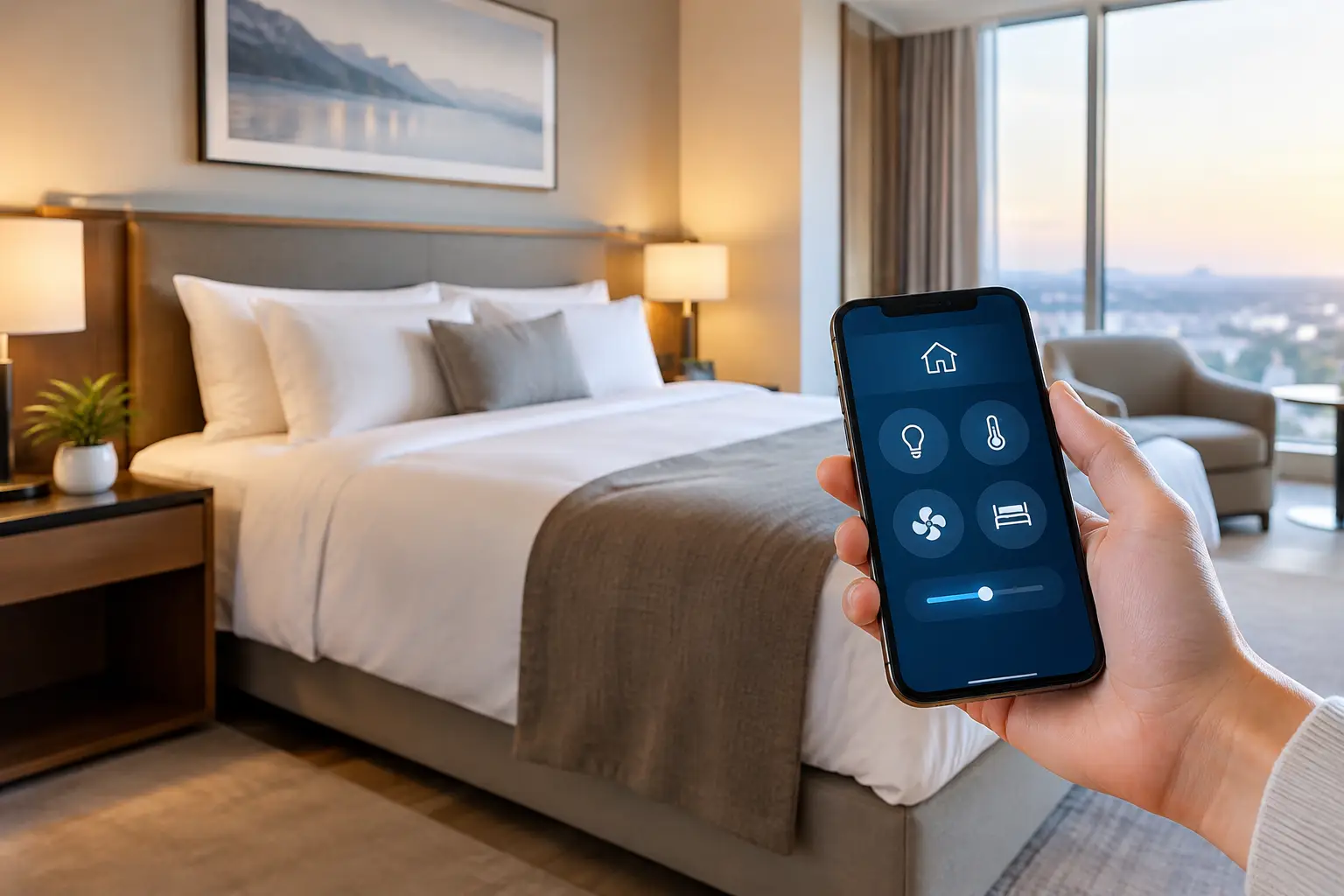
A guest may forgive a compact room or a late check-in. They are far less likely to forgive a room that is too warm at night, too bright at sunrise, or confusing to control. Learning how to manage hotel room comfort means treating climate, lighting, shading, noise, and in-room controls as one coordinated guest experience – not as separate building systems.
For hotel owners, operators, and developers, the goal is simple: every room should feel ready when a guest arrives, intuitive while they stay, and energy-conscious when it is vacant. Achieving that balance requires thoughtful design, reliable automation, and controls that work just as well for guests as they do for housekeeping and engineering teams.
Start With the Guest Journey, Not the Equipment
Room comfort begins before a guest touches a switch. Consider the sequence from arrival to sleep and checkout. On entry, the room should have a comfortable temperature, useful lighting, and curtains positioned appropriately for the time of day. At bedtime, guests need a quick way to lower lights, close shades, and adjust the room without navigating a complicated wall panel or reaching for multiple remotes.
This is why a collection of standalone devices rarely delivers a premium result. A thermostat may control temperature accurately, but it cannot create a restful arrival scene. Motorized curtains may look refined, but they deliver greater value when they respond to a bedside command, a wall keypad, or a scheduled daylight setting.
The right approach defines a small number of reliable moments: arrival, occupied daytime, relaxation, sleep, bathroom night use, checkout, and vacancy. Each moment should have a clear purpose. Guests should never need training to make their room comfortable.
How to Manage Hotel Room Comfort Across Every System
The most effective rooms use one intelligent system to coordinate the elements guests notice most. The room does not need to feel overly automated. It needs to respond predictably, with manual control always available.
Set climate around comfort, not only temperature
Temperature is central to a guest’s perception of quality, but a thermostat setpoint alone does not tell the full story. Humidity, airflow, sunlight, occupancy, and the thermal performance of the room all affect how warm or cool it feels.
A connected climate-control strategy can place the room into an energy-saving setback mode when it is vacant, then return it to a comfortable range before arrival. Once the guest checks in, intuitive controls should allow reasonable adjustments without exposing complex engineering settings. In hotter regions, automated shading can reduce solar heat gain before the air conditioning works harder to compensate.
There is a trade-off to manage. Aggressive energy setbacks can lower utility costs, but guests will notice if the room takes too long to recover after they enter. The appropriate setback range depends on the property, HVAC capacity, local climate, and the time required to restore comfort. Test it in real operating conditions rather than relying only on a specification sheet.
Use lighting to support time of day and activity
A hotel room should not have one lighting level for every occasion. Guests need brighter, clear light for luggage, wardrobes, work, and grooming. They also need softer layers for relaxing, watching television, or preparing for sleep.
Instead of presenting a long row of switches, program lighting scenes with plain-language labels such as Welcome, Relax, Work, Night, and All Off. Scene control reduces decision-making for the guest while protecting the design intent of the room. Dimmable fixtures and carefully selected color temperatures make these transitions feel natural.
Night lighting deserves particular attention. A low-level route from the bed to the bathroom can prevent harsh lights from disrupting sleep. It should be warm, glare-free, and activated through a discreet bedside control or occupancy sensor. Sensors must be positioned and programmed carefully, however. A bathroom light that switches on brightly every time someone turns in bed is not an upgrade.
Coordinate curtains and shades with privacy and heat control
Window treatments affect comfort more than many projects anticipate. Guests want privacy at check-in, darkness when sleeping, and daylight when waking. Operators also need to protect furnishings and reduce cooling demand in rooms exposed to strong sun.
Motorized curtains and blinds allow those needs to work together. A welcome scene might open sheer shades during the day while keeping blackout curtains ready for privacy. A sleep scene can close blackout curtains, reduce selected lights, and set the room to a preferred nighttime temperature.
Good programming respects guest choice. Automation should assist, not override. Once a guest manually opens or closes a curtain, the system should avoid changing it unexpectedly unless there is a clear safety or operational reason. Privacy is part of comfort.
Make bedside control immediate and obvious
The bedside is where poor room-control design becomes most visible. A guest should be able to turn off lights, activate a night path, adjust curtains, and request a comfortable temperature without leaving the bed. Buttons should have consistent labels, sensible backlighting, and a layout that remains usable in the dark.
Touchscreens can provide an elegant interface for premium rooms, but they should not be the only option. A physical all-off button is faster and more dependable when guests are tired. The strongest hotel rooms combine tactile keypads for frequent actions with a touchscreen or branded tablet for deeper controls, hotel information, entertainment, and service requests.
Voice control can be considered in selected properties, but it is not suitable for every hotel. It raises questions around guest privacy, language support, device reliability, and housekeeping reset procedures. It should complement direct controls, never replace them.
Connect Occupancy to Operations Without Making It Intrusive
Occupancy sensing is one of the most valuable tools for balancing comfort and efficiency. When the system knows a room is vacant, it can reduce unnecessary cooling, switch off nonessential lighting, and return shades to a protective position. When the room is occupied, it can maintain guest-selected settings.
The distinction between occupancy and booking status matters. A room marked as sold in the property management system is not necessarily occupied at every moment. Likewise, a room may appear empty while a guest is resting quietly. Door contacts, motion sensing, keycard logic, and property-management integration can work together, but each has limitations.
For example, motion sensors alone may decide a sleeping guest is absent. Keycard-based controls can save energy, yet many guests dislike losing power or cooling when one card leaves the room. A well-designed system uses layered information and sensible time delays rather than making a decision based on a single sensor event.
Give Housekeeping and Engineering the Right Controls
Hotel room comfort is not maintained only by guests. Housekeeping needs a clear way to place rooms in cleaning mode, with suitable lighting and ventilation. Engineering teams need visibility of alarms, equipment faults, extreme temperatures, and devices that are offline. Front-desk teams benefit when room status is accurate and complaints can be resolved quickly.
Centralized management gives staff oversight without requiring them to enter every room. It can identify a room that has not cooled as expected, a curtain motor that needs attention, or a bathroom exhaust fan running longer than intended. This supports preventive maintenance and protects the guest experience before a complaint reaches reception.
Keep operational interfaces focused. Engineering needs diagnostic detail; housekeeping needs simple status and task controls. Giving every department the same complicated dashboard usually creates delays rather than efficiency.
Design for Reliability, Privacy, and Easy Recovery
A sophisticated room is only premium when it remains dependable. Hotel automation should be specified with wired or appropriately engineered wireless infrastructure, stable network design, clear naming, and local control where practical. If an internet connection is interrupted, essential room functions such as lights, climate, curtains, and keypads should continue to operate.
Cybersecurity also deserves early attention. Connected room systems should use secure network segmentation, controlled access permissions, supported software, and a clear process for removing personal guest information at checkout. A hotel should collect only the information necessary to deliver the service it promises.
Just as important, plan for recovery. Staff should know how to operate a room manually, replace a failed device, and contact support with a clear room and system reference. Documentation, testing, and staff training are not administrative extras. They determine whether the property can deliver consistent comfort long after opening day.
Build and Test the Room Before Scaling It
Before installing a control strategy across hundreds of keys, create a representative sample room. Test it at different times of day, with direct sunlight, with the AC under load, and with someone who has never seen the interface. Ask them to enter, relax, sleep, use the bathroom at night, and check out. Their hesitation will reveal what a technical review may miss.
A professional integration process should move from site consultation and system design to a clear quotation, clean installation, detailed programming, testing, and user handover. Esmartech applies this tailored approach to hospitality projects, aligning room technology with both the property’s guest standards and its operational priorities.
The best hotel room controls are rarely the most visible feature in the room. They simply make the space feel calm, responsive, and ready for the person staying in it.



Leave a comment