
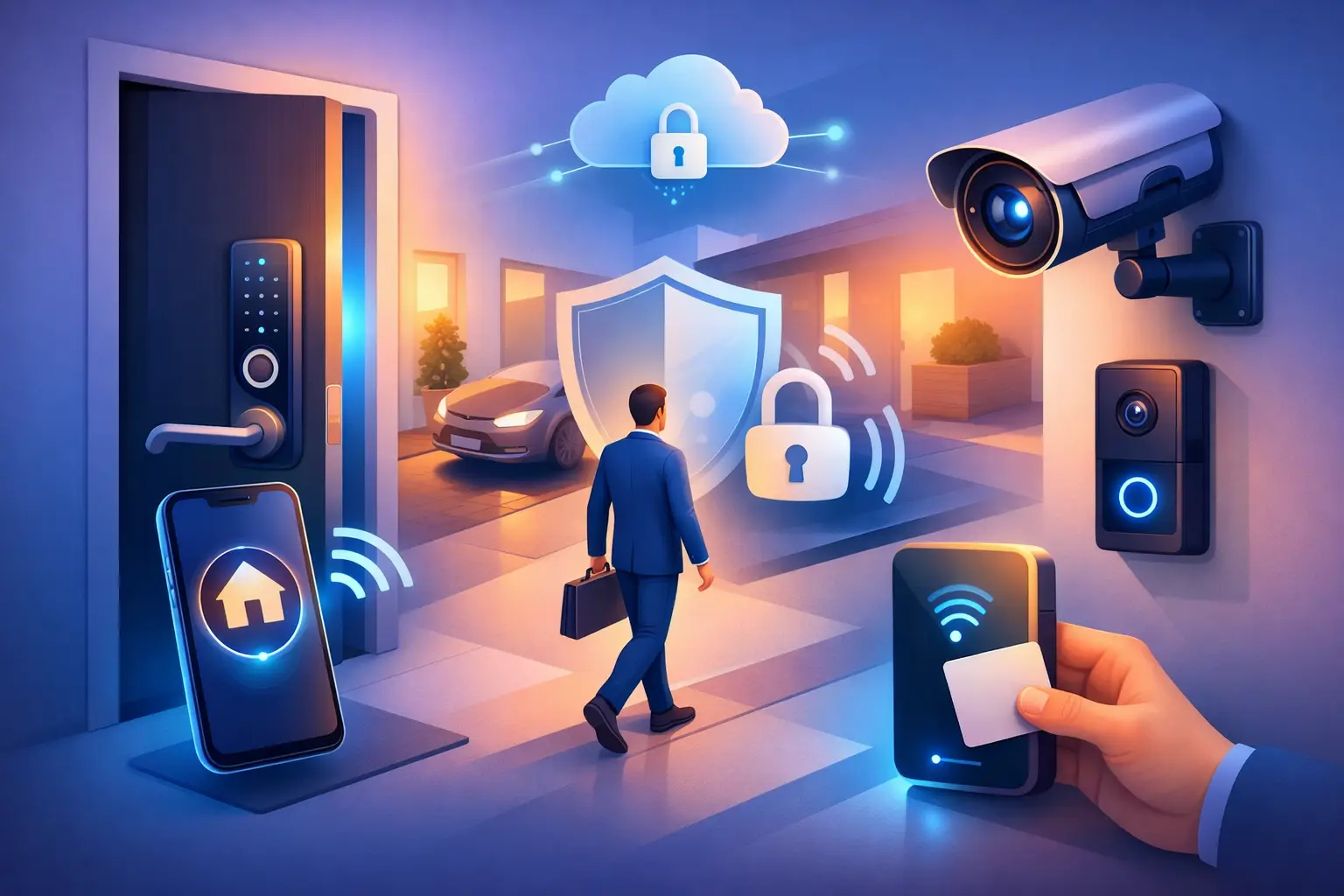
A villa’s front gate, lobby door, service entrance, and private office should not operate as separate security problems. Knowing how to secure smart entry means creating one coordinated access experience: simple for approved residents, guests, and staff, but difficult for anyone else to exploit. The best result is not a door that requires more effort to use. It is an intelligent system that recognizes who should enter, records what happens, and gives the property owner control from one place.
For high-value homes, hospitality spaces, offices, and retail properties in Dubai, entry security needs to account for more than the main door. Visitors may arrive at a gate, deliveries may need temporary access, domestic staff may require scheduled permissions, and family members may use different entry points throughout the day. A professionally designed smart entry system brings these movements together without turning daily access into a management task.
How to Secure Smart Entry With Layers
A smart lock alone is useful, but it should not carry the full security burden. Strong entry security relies on layers that support each other: physical door protection, verified identity, visual confirmation, controlled permissions, and reliable system management.
Start with the physical opening. A premium smart lock cannot compensate for a weak door frame, poorly aligned strike plate, exposed wiring, or a gate that does not close consistently. For villas, this often means reviewing both the perimeter gate and the main entrance. In apartments and commercial spaces, it may include the lobby, office suite, stockroom, server room, and internal restricted areas.
The access method should then match the user and the location. A homeowner may prefer a mobile app, PIN code, fingerprint reader, card, or key fob. A hotel or managed residential property may need card-based credentials that can be issued and withdrawn centrally. For a busy office, mobile credentials and staff schedules can reduce the need for physical keys while giving management a clear audit trail.
There is no single best credential for every door. Biometric access is convenient for regular users but may be less appropriate for a shared service entrance. PIN codes are practical for visitors and contractors, yet they should be unique, time-limited, and changed when a job is complete. Physical keys can remain as an emergency backup, but they should not be the primary access plan for a property that needs visibility and control.
Pair smart locks with video intercoms
Visual verification is one of the most valuable additions to a smart entry setup. A video intercom lets residents, reception teams, or property managers see and speak with a visitor before releasing the door or gate. This is especially useful when nobody is physically near the entrance.
For a villa, an intercom at the front gate can notify the homeowner’s phone and an internal touch panel at the same time. The homeowner can confirm the visitor, speak with them, and release the gate only when appropriate. For an office or restaurant, a reception team can manage entry from a central station while maintaining a clear record of visitors.
Camera placement matters. The camera should show the visitor’s face clearly and cover the approach to the door without creating blind spots. At a gate, the design may need separate views for pedestrians and vehicles. Good lighting is equally important, particularly for evening arrivals and camera identification.
Use permissions instead of shared keys
Shared keys create uncertainty. Once copied, they are difficult to track and expensive to replace across a large property. Smart entry gives owners a more precise option: permissions based on person, location, date, and time.
A housekeeper can receive access to the villa during agreed daytime hours. A maintenance contractor can receive a code that works once or expires at the end of the day. A family member can have permanent access to the main entrance but not to a private office, wine room, or equipment area. In a commercial property, staff access can be limited to their shift and assigned zones.
This approach is also helpful when circumstances change. If a tenant moves out, an employee leaves, or a supplier no longer needs access, their credential can be removed without replacing every lock. The system should record entry attempts, successful access, and door status so that owners can review activity when needed.
Protect the System Behind the Door
Smart entry is connected technology, so the network and administration settings deserve the same attention as the lock hardware. Many weaknesses come from simple oversights: default passwords, shared app logins, outdated firmware, or an installer account that was never transferred to the owner.
Each administrator should use an individual account with a strong, unique password. Multi-factor authentication should be enabled where the platform supports it, particularly for remote access and master administration. Household members, front-desk staff, and facilities managers should receive only the access level they need. A person who can issue visitor passes does not always need authority to change system settings or delete user records.
The automation network should be professionally planned rather than added to a standard home Wi-Fi connection as an afterthought. Wired infrastructure can be the right choice for new villas, hotels, and larger commercial sites because it provides dependable communication and can support multiple systems. Wireless solutions can be highly effective for completed apartments and retrofit projects, provided signal coverage, battery monitoring, and secure network configuration are addressed during design.
Remote control is valuable, but it should be intentional. Owners should be able to check a door’s status, receive alerts, and grant access from their phone when appropriate. At the same time, notifications must be configured to be useful. An alert for every family entry can quickly become background noise. Prioritize events such as repeated failed attempts, a door left open, entry outside an approved schedule, or access at a restricted door.
Connect Entry to the Rest of the Property
The strongest smart entry designs do more than open a lock. They coordinate security with lighting, cameras, climate control, and occupancy settings.
When a resident arrives, the system can disarm selected security zones, turn on entrance lighting, and adjust air conditioning based on the property’s programmed preferences. When the last authorized person leaves, it can confirm that designated doors are locked, switch off unnecessary lights, close motorized curtains where appropriate, and send an alert if an opening remains unsecured.
These automations need careful programming. Automatically releasing a door because a phone is nearby may be convenient, but it can be unsuitable at a public-facing entrance or when the device is shared. For many properties, a safer balance is a prompt that requires confirmation, paired with video verification. Security should feel effortless for the user without making approval invisible.
For hospitality and commercial projects, integration can also improve operations. Access events can support staff management, back-of-house control, guest service, and incident review. The right design depends on how the property operates, who needs access, and which doors must remain available during emergencies.
Plan for Power, Connectivity, and Emergencies
Every smart entry system needs a clear response when power or internet service is interrupted. Ask how the lock behaves during a power loss, whether it has battery backup, how low-battery alerts are delivered, and what local access method remains available. Fire and life-safety requirements must always take priority, particularly for offices, hotels, restaurants, and multi-unit properties.
A good installation also considers what happens if a phone is lost, a credential is compromised, or a resident is away. The owner or authorized manager should be able to revoke access quickly. Emergency mechanical override, backup credentials, and defined administrator roles help prevent a minor incident from becoming a lockout.
Testing is not a final formality. Every entry point should be tested for normal access, denied access, visitor calls, remote operation, low-battery behavior, and recovery after a network interruption. The handover should include practical user guidance, not just a collection of apps and passwords.
Choose a Design That Can Grow
Smart entry is often the first step in a wider property automation plan. A homeowner may begin with a gate intercom and main-door lock, then later add CCTV, curtains, lighting scenes, and centralized control. A developer may need a phased rollout across apartments, common areas, and amenity spaces.
That is why product selection should consider future integration, not only the features visible on day one. Established hardware, clean wiring or validated wireless coverage, and centralized programming make expansion more manageable. Esmartech approaches this through consultation, clear system design, installation, testing, and handover, so the entry experience is tailored to the property rather than assembled from disconnected devices.
A well-secured entrance should give residents confidence when they are home, traveling, or managing the property remotely. Start with the doors and gates people actually use, define who needs access and when, then build the technology around those real routines. That is how smart entry becomes a practical part of secure, elevated living.



Leave a comment